Description
In today’s digital world, cybersecurity is more important than ever. With increasing threats like viruses, malware, phishing attacks, and ransomware, having a powerful security solution is crucial.
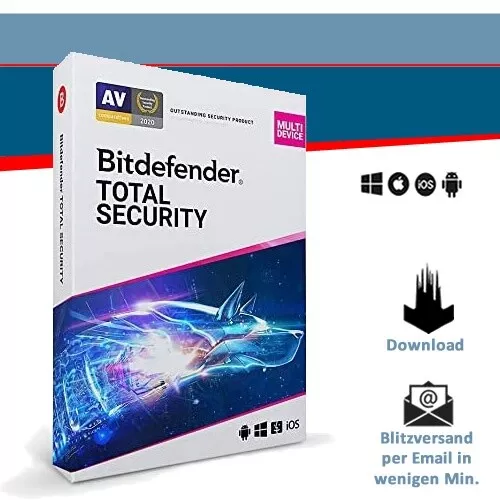
If you’re looking for one of the best antivirus programs in 2025, Bitdefender Total Security 2025 is the perfect choice. It offers advanced protection for Windows, Mac, Android, and iOS devices. Whether you need security for 1, 3, 5, or 10 devices and for 1, 2, or 3 years, Bitdefender has flexible plans to suit every need.
In this in-depth guide, we’ll explore everything you need to know about Bitdefender Total Security 2025, including:
- Key features and benefits
- How it protects against online threats
- System requirements
- How to download and install it
- Pricing and plans
- Why Bitdefender is better than other antivirus programs
- Frequently asked questions (FAQs)
Let’s dive in!
What is Bitdefender Total Security 2025?
Bitdefender Total Security 2025 is an all-in-one cybersecurity solution that offers complete protection against viruses, malware, ransomware, phishing attacks, spyware, and more. It is designed to protect multiple devices across different operating systems, including Windows, Mac, Android, and iOS.
This software provides real-time threat detection, an advanced firewall, a VPN, webcam and microphone protection, and parental controls to keep your entire family safe online.
Bitdefender is known for its lightweight performance, meaning it runs in the background without slowing down your device.
Key Features of Bitdefender Total Security 2025
1. Real-Time Protection Against Threats
Bitdefender’s advanced AI technology detects and blocks malware, viruses, and ransomware in real time. You don’t have to worry about downloading infected files or clicking on unsafe links.
2. Multi-Layered Ransomware Protection
Ransomware attacks are becoming more common, targeting personal files and demanding payments to unlock them. Bitdefender Total Security 2025 prevents ransomware attacks before they happen, ensuring your files remain safe.
3. Advanced Firewall for Maximum Security
A strong firewall is essential for online safety. Bitdefender includes an advanced firewall that monitors incoming and outgoing traffic, blocking hackers, malicious attacks, and unauthorized access to your system.
4. Anti-Phishing & Anti-Fraud Protection
Phishing emails and fake websites trick users into sharing bank details, passwords, and other sensitive information. Bitdefender’s anti-phishing technology identifies and blocks fraudulent sites before you enter your details.
5. Webcam & Microphone Protection
Cybercriminals can hack webcams and microphones to spy on users. Bitdefender Total Security 2025 blocks unauthorized access, keeping your privacy intact.
6. Secure VPN for Safe Browsing
Bitdefender includes a built-in VPN (Virtual Private Network) with 200MB of encrypted data per day per device. This allows you to browse the internet securely, even on public Wi-Fi networks.
7. Parental Control for Family Safety
Want to keep your children safe online? The Parental Control feature allows you to:
- Block inappropriate websites
- Set screen time limits
- Monitor your child’s online activity
- Track location on mobile devices
8. Anti-Theft Protection for Laptops & Mobile Devices
Lost or stolen devices? Bitdefender helps you track, lock, and erase data remotely to prevent unauthorized access.
9. Optimized Performance – No Slowdowns
Unlike some antivirus programs that slow down devices, Bitdefender is designed to run in the background without affecting performance.
10. Easy-to-Use Interface
Even if you’re not tech-savvy, Bitdefender’s user-friendly dashboard makes it easy to navigate and manage security settings.
How Does Bitdefender Total Security 2025 Protect You?
Bitdefender uses a combination of artificial intelligence, machine learning, and behavior analysis to detect and block threats before they can harm your device.
Here’s how Bitdefender protects you from different cyber threats:
1. Viruses & Malware Protection
- Scans files in real time to detect viruses before they spread
- Blocks malicious downloads
- Prevents malware-infected apps from running
2. Ransomware Protection
- Monitors files for suspicious changes
- Blocks unauthorized encryption
- Restores encrypted files if attacked
3. Online Privacy Protection
- Detects fake websites and prevents phishing attacks
- Warns you before entering sensitive information
- Blocks webcam and microphone spying
4. Secure Online Banking & Shopping
- Uses a secure browser for online transactions
- Prevents banking Trojans from stealing passwords
System Requirements for Bitdefender Total Security 2025
Before installing Bitdefender, ensure your device meets the minimum system requirements.
For Windows:
- Windows 10, Windows 11
- Minimum 2 GB RAM
- At least 2.5 GB free storage
- Internet connection required for installation and updates
For macOS:
- macOS 10.10 (Yosemite) or later
- At least 1 GB RAM
- Minimum 600 MB free disk space
For Android:
- Android 5.0 (Lollipop) or later
- Internet connection required
For iOS (iPhone/iPad):
- iOS 12.0 or later
How to Download & Install Bitdefender Total Security 2025
Step 1: Purchase Your License
Visit the official Bitdefender website or an authorized seller to choose a plan (1, 3, 5, or 10 devices for 1, 2, or 3 years).
Step 2: Download the Software
Once purchased, you will receive a license key via email. Download Bitdefender from the official site.
Step 3: Install the Software
- Open the downloaded file
- Follow the on-screen instructions
- Enter your license key to activate
Step 4: Customize Your Security Settings
- Set up real-time protection
- Enable firewall and anti-phishing
- Configure parental controls if needed
Bitdefender Total Security 2025 – Pricing & Plans
Bitdefender offers flexible pricing based on the number of devices and duration:
- 1 Device – 1 Year
- 3 Devices – 1 Year
- 5 Devices – 1 Year
- 10 Devices – 1 Year
- Multi-Year Plans (2 or 3 Years) Available
For the latest pricing, visit Bitdefender’s official website.
Why Choose Bitdefender Over Other Antivirus Software?
Bitdefender vs. Norton
✔️ Better performance – Lighter on system resources
✔️ More features – Includes VPN, parental controls, and anti-theft
Bitdefender vs. McAfee
✔️ Stronger malware detection
✔️ More affordable pricing options
Bitdefender vs. Kaspersky
✔️ Better anti-phishing protection
✔️ More privacy-focused features
Frequently Asked Questions (FAQs)
1. Is Bitdefender Total Security 2025 worth it?
Yes! It offers top-tier protection, great performance, and premium features at an affordable price.
2. Can I install it on multiple devices?
Yes, depending on your plan, you can install it on 1, 3, 5, or 10 devices.
3. Does it work on mobile devices?
Yes, it protects Android and iOS devices.
Final Verdict: Is Bitdefender Total Security 2025 the Best Antivirus?
Absolutely! Bitdefender Total Security 2025 offers complete protection, fast performance, and an easy-to-use interface. Whether you’re looking to protect one or multiple devices, Bitdefender is a top choice.
Stay safe online with Bitdefender Total Security 2025! 🔒🚀

Reviews
There are no reviews yet.